The best user onboarding software in 2026 depends on who will maintain the guidance after launch. If you want nothing to author or maintain, the Frigade Assistant is an AI assistant that learns your product, answers users inside it, and takes the action with them. If engineers and product both work on onboarding, Frigade Engage is developer-friendly with a no-code editor. If you want a no-code builder, Userflow, Appcues, Userpilot, and UserGuiding are the main picks, Pendo fits when you also need deep analytics, and Reactour is the free route for engineers.
I have gone through hundreds of onboarding flows with my team, and in building Frigade we have used just about every tool on this list.
This is the broad list. We also rank the narrower categories on their own: digital adoption platforms, product adoption platforms, product tour software, and in-app guidance tools.
Updated November 2026 with pricing rechecked against each vendor's pricing page. The table below is the short version.
| Tool | Type | Starts at | Implementation | Best for |
|---|---|---|---|---|
| Frigade Assistant | AI assistant that lives in your product and takes actions for users | $1,000/mo after a free trial | Script tag or React package, learns the product on its own | Teams that want users helped inside the product, with nothing to author or maintain |
| Frigade Engage | Developer-friendly, with a no-code editor | Free up to 250 MAUs, $300/mo Growth | SDK, first checklist same day | Teams where engineers and product both work on onboarding |
| Chameleon | Low-code DAP | $279/mo for 2,000 MTUs | JavaScript snippet, same day | Design-led teams that style every tooltip |
| Reactour / React Joyride | Open source React | Free | You build and host it | Teams with the engineering time to build their own tours |
| UserGuiding | No-code DAP | $249/mo, billed annually | JavaScript snippet, same day | Early-stage teams shipping a first checklist or tour on a budget |
| Whatfix | No-code DAP | Quote based | Weeks, usually with a services team | Enterprises onboarding employees and customers on one platform |
| Userpilot | No-code DAP + analytics | $299/mo | JavaScript snippet, a day or two with event tagging | Mid-size SaaS that wants onboarding and product analytics in one tool |
| Pendo | Guides inside an analytics suite | Free up to 500 MAUs, paid by quote | Snippet plus tagging, days to weeks | Larger orgs already buying Pendo for analytics |
| Appcues | No-code DAP | Custom pricing | JavaScript snippet, same day | Product teams that want full manual control of every step |
| Userflow | No-code DAP | $240/mo | JavaScript snippet, same day | Small to mid-size teams that want the cleanest hand-authoring editor |
Prices are from each vendor's pricing page in November 2026. Where a vendor only quotes, I say so instead of guessing.
- Best onboarding checklist software: Frigade Engage if you want checklists in your own components with a no-code editor on top, Userpilot or Appcues if a PM builds them in a no-code editor, UserGuiding on a small budget.
- Best onboarding platform for a Series A startup: Frigade Engage's free tier for the first checklist and announcements, and the Frigade Assistant once "how do I" questions start taking real support time. Userflow or UserGuiding if you'd rather author every flow by hand.
- Best in-app training software: the Frigade Assistant for training on demand inside the product (or apps like Salesforce and Workday), Whatfix if you need formal employee training records.
The rest of this guide covers each tool in depth: what it does, what it costs, and where it falls short.
It’s incredibly challenging to find unbiased reviews of these types of tools because most of the search results are filled with affiliate links.
This list is different. My goal is a practical comparison of the best onboarding tools available today, with no affiliate links.
We received $0 dollars for any links or reviews of the tools below, and I’m not attempting to hard-sell you on anything.
But I do mention Frigade, a platform we created ourselves. Although for good reason, which I’ll get to later. (And I wouldn’t be a good CTO if I didn’t mention Frigade in this list.)
Before you dig in, here’s what we considered during our evaluation.
Below, I’ve separated each tool by type of product onboarding software: code-based and no-code.
Each tool was evaluated using four main criteria listed in the chart below. I included some questions about each of the evaluation criteria that I have for each tool.
| Category | Considerations |
|---|---|
| Flexibility |
|
| Control |
|
| Performance Tracking |
|
| Business Impact |
|
This guide is long because it is thorough. If you need to skip around, use the table of contents on the right.
If you want the control of code without writing every component from scratch, Frigade Engage gives you checklists, tours, announcements, banners and surveys ready to use. It's developer-friendly, so engineers can build flows in code and version them with the product, and it has a no-code editor so product and marketing can change copy and targeting without a deploy.
Engage pairs naturally with the Frigade Assistant covered above. The Assistant handles the open-ended user questions and autonomous walkthroughs. Engage gives you authored components for the moments where you want pixel-perfect control (a one-time launch banner, an NPS survey, a billing notice).
- Code or no-code? Both. Developer-friendly for engineers, with a no-code editor for everyone else.
- Price/cost: Free up to 250 monthly active users, then $300 a month on Growth. See Frigade's pricing for the current plans.
- Best for: Engineering-led teams that want code-quality controls (PR review, versioning, design-system theming) on their authored onboarding surfaces, and want to use the same vendor for both AI-driven and authored guidance.
Why teams pick Engage over the open-source alternatives:
- Production-ready out of the box. Reactour and React Joyride are libraries you wire up yourself. Engage ships managed components with built-in targeting, analytics, and theming.
- Hosted dashboard for non-engineers. PMs and copywriters can update copy, segmentation, and targeting from a dashboard without filing a PR for every iteration.
- Pairs with the Frigade Assistant. One vendor, one SDK, two products that share session context and user data.
- Self-hostable. Run the entire stack on your own infrastructure if your security posture requires it.
If you want engineering control over onboarding without the open-source DIY tax, this is the modern Pendo alternative.
| Evaluation Criteria | Considerations |
|---|---|
| Flexibility | ✅ Full code-level customization for engineers ✅ Designers control styling via your design system ✅ Non-technical teams edit copy, targeting and flows in the no-code editor |
| Control | ✅ Self-hostable ✅ Components versioned in your codebase ✅ Built-in version control to safely launch updates |
| Performance Tracking | ✅ Built-in analytics in the dashboard ✅ Integrates with Segment, Mixpanel, Amplitude ✅ Tracks completions, conversions, and step-level performance |
| Business Impact | ✅ Fast to implement, installable in minutes ✅ Lower long-term dev maintenance than building in-house ✅ Pairs with the Assistant for a complete onboarding stack |
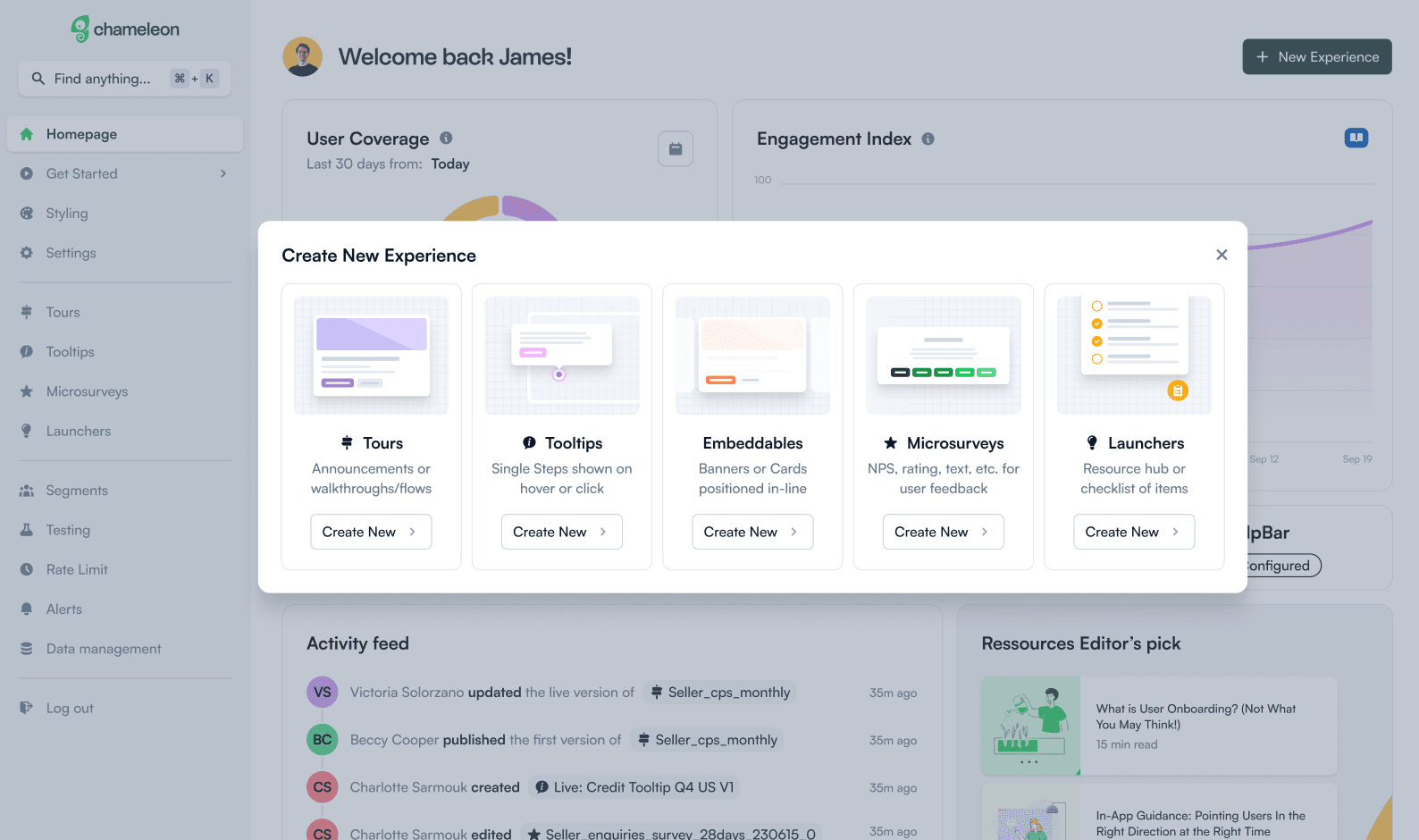
Chameleon.io is what I’d considered a low-code product onboarding software platform, and not a fully code-based flexible solution.
It offers product tours, tooltips, surveys, and launchers, and allows your team to guide users without extensive engineering effort.
- Code or no-code? Low-code.
- Price/cost: Chameleon's pricing is based on Monthly Tracked Users (MTUs) and starts at $279 per month for 2,000 MTUs, with Growth at $1,250 a month above that. Check Chameleon’s pricing page for the most current info.
- Best for: Mid-sized to large companies who want to improve adoption with in-app experiences.
While some public product reviews note “there is limited control over the UI” and “setting up segments is very difficult,” Chameleon has 4.4 out of 5 stars via G2 and 4.5 out of 5 stars with Product Hunt.
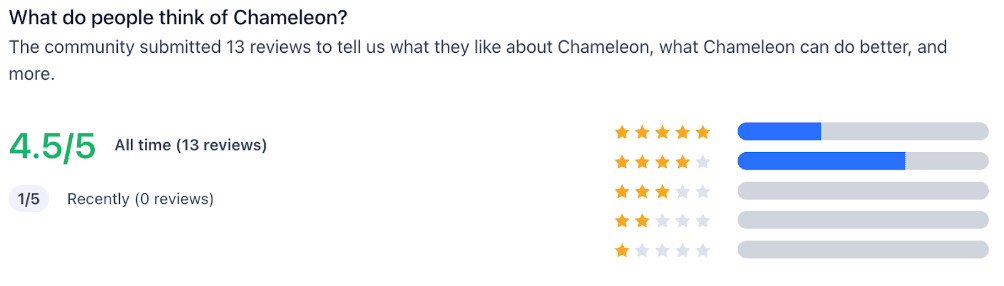
Based on my own product onboarding software criteria, here’s Chameleon’s scorecard:
| Evaluation Criteria | Considerations |
|---|---|
| Flexibility | ✅ Devs can lightly customize to align with the product's UI ✅ Non-tech teams can create and manage in-app experiences ❌ Full customization not possible; some elements seem non-native |
| Control | ✅ Offers control over styling and layout, including custom CSS ✅ Versioning of flows to update without disrupting user experience ❌ Does not support self-hosting |
| Performance Tracking | ✅ Includes analytics of in-app experiences ✅ Integrates with analytics platforms ❌ Issues with integrations, like Mixpanel, Hubspot |
| Business Impact | ✅ Efficient implementation time due to low-code ✅ Reports of significantly reduced support tickets (source) ❌ Requires dev support but doesn’t offer flexible customization of other code-based platforms |
It would be a miss on my part, especially in the code-based product onboarding software portion of this list, if I didn’t mention a few open-source libraries.
Both Reactour and React Joyride are open-source, code-based libraries designed to help you create guided tours and walkthroughs within React applications.
- Code or no-code? It’s code-based and requires heavy dev support.
- Price/Cost: Free and open-source under the MIT license.
- Best for: Teams looking for a fully customizable and dev-friendly solution for product tours within React applications.
Both Reactour and React Joyride are strong options in a few ways:
As open-source libraries, they allow for extensive customization options, including the ability to tailor the appearance and behavior of tours to match the application's design. And for me, that’s paramount.
Both libraries are also actively maintained, so I’m willing to recommend them.
There are a few cons, though, including the fact that going this route means your team will rely on heavy internal dev maintenance. Plus, they offer less guidance and support than an out-of-the-box option.
And as one Redditor mentioned regarding Reactour, “It worked well but the API to use it is a bit cumbersome,felt like a weird mix of class-based and FP.” While one React Joyride user on Reddit shared it increased their user engagement time. This is to be expected, as going from zero onboarding flows to any is always a smart idea.
Here’s my scorecard for open-source library options like Reactour and React Joyride:
| Evaluation Criteria | Considerations |
|---|---|
| Flexibility | ✅ Devs can customize tours to align with the product's UI ✅ Designers can ensure the onboarding elements integrate with existing design ❌ Non-technical teams will require dev assistance and iterations on copy require dev support |
| Control | ✅ Full control over styles and layout via your design system ❌ No hosted platform; Requires custom backend ❌ Built-in version control to safely launch updates |
| Performance Tracking | ❌ Native analytics in the dashboard ❌ Offers custom event tracking ❌ Tracks completions, conversions, step-level performance |
| Business Impact | ✅ Implementation time is relatively short for teams familiar with React with reusable components. ❌ Low long-term dev maintenance compared to fully building in-house ❌ Non-tech teams can manage copy or targeting via the dashboard |
Ready to tackle the best tools for product onboarding that don’t require any code?
First, I need to be honest with you: I’m biased in that I believe code-based tools are the way to go.
However, I’ve used no-code tools in the past myself, and there are some instances where it might be the best fit for a particular team or product.
I’m covering the following seven tools. Frigade is first because it’s the only one in this category that doesn’t require you to author flows by hand:
- Frigade Assistant
- UserGuiding
- Whatfix
- Userpilot
- Pendo
- Appcues
- Userflow
Also, keep in mind this class of tools are digital adoption platforms which can be used to develop product onboarding flows, but specific product onboarding software tools do exist and can better serve that use case.
I’ll mention the one we built first. The Frigade Assistant is an AI agent that learns your product and helps users in two complementary modes:
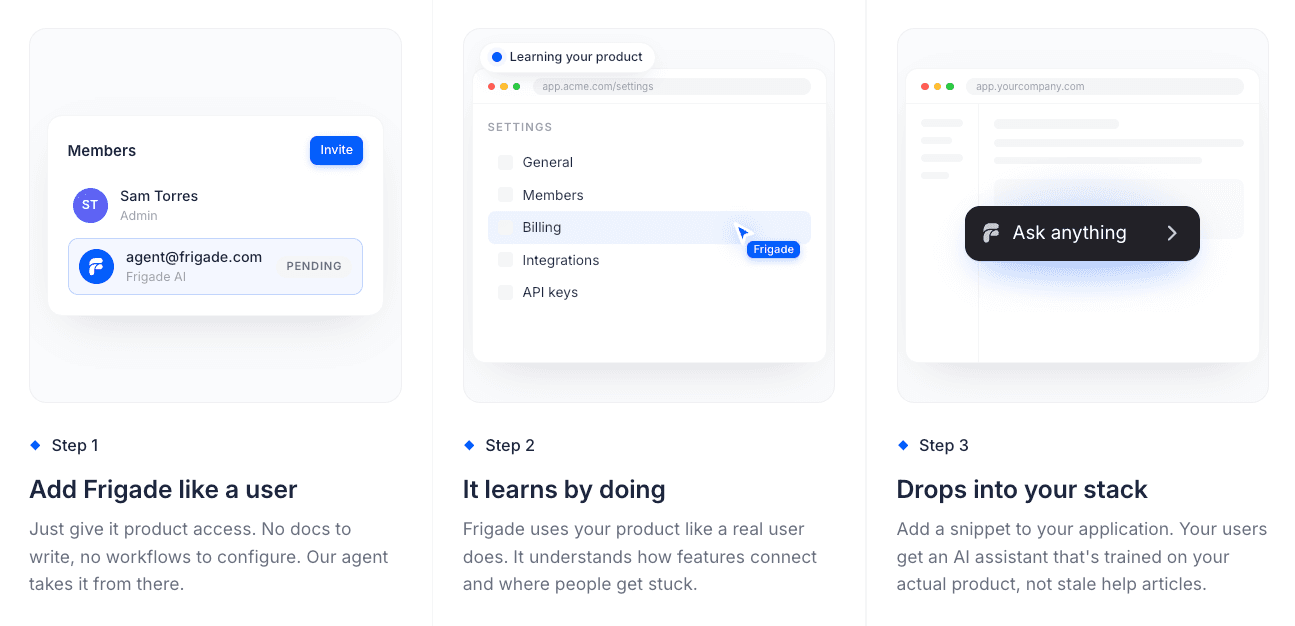
- On demand. A user asks "how do I do X" and the Assistant walks them through it, takes the action with them, and escalates to support with full context if needed.
- Proactive (Frigade Suggestions). The Assistant also steps in on its own with walkthroughs and contextual nudges, personalized per user. It's help that shows up based on what each person is actually trying to do, instead of a static flow authored once and shown to everyone.
It adapts on two axes that flow-builder DAPs cannot:
- Adapts to the product. When you ship a UX change, the Assistant re-learns the new flow on its own. Authored tours need someone to update them after each release. The Assistant keeps itself current.
- Adapts to the user. Each user gets guidance tailored to what they are trying to do right now, based on their behavior and intent. No more "every user sees the same generic checklist."
This is the architecture difference that matters. Pendo, Userpilot, Chameleon, and Whatfix all give you a dashboard for authoring static onboarding flows that you have to keep updating forever. The Assistant maintains itself, so the upkeep goes to zero and the experience gets better as your product evolves rather than worse.
Used in production by SaaS teams who want autonomous in-product guidance instead of a maintenance-heavy library of authored flows.
- Code or no-code? Effectively the most no-code option in this list. Connect the Assistant once and it learns the product on its own. There are no flows to author or selectors to maintain, and no dashboard full of tour configs to update when your product ships.
- Price/cost: Starts at $1,000 a month with usage-based scaling, and enterprise plans for teams that need self-hosting. See Frigade’s pricing.
- Best for: Product, support, and growth teams who are tired of authoring tours that go stale. Teams trying to deflect support tickets. Teams who want to give every user a personalized path through the product without authoring it by hand.
What the Assistant gives you, in plain terms:
- A user can ask "how do I do X" and the Assistant walks them through it and takes the action with them.
- The Assistant proactively surfaces Frigade Suggestions, personalized per user and timed to the right moment, so the user does not have to think to ask.
- The Assistant detects when a user is friction-ing on a specific step and intervenes inline before they file a ticket.
- When the Assistant cannot resolve something, it escalates to your support stack (Zendesk, Intercom) with the full context attached.
- It adapts as the product changes. There is no flow library to keep updating.
| Evaluation Criteria | Considerations |
|---|---|
| Flexibility | ✅ Adapts to any product workflow without authored configuration ✅ Per-user personalization based on behavior and intent ✅ Adapts automatically as the product evolves |
| Control | ✅ Self-hostable ✅ White-label / theming so it feels native ✅ Audit trail of agent actions for compliance |
| Performance Tracking | ✅ Surfaces friction points in real time ✅ Integrates with your analytics stack (Segment, Mixpanel, etc.) ✅ Tracks intents, completions, escalations |
| Business Impact | ✅ Zero flow-maintenance burden compared to flow-builder DAPs ✅ Replaces a chunk of authored support hours with autonomous resolution ✅ Adapts as the product changes, so guidance stays current |
For the small set of authored surfaces where they make sense (a billing banner, a one-time launch announcement), Frigade ships Frigade Engage, which is developer-friendly and has a no-code editor, alongside the Assistant. I covered Engage above in the Code-based section. But the Assistant is the headline product for teams replacing a no-code DAP.
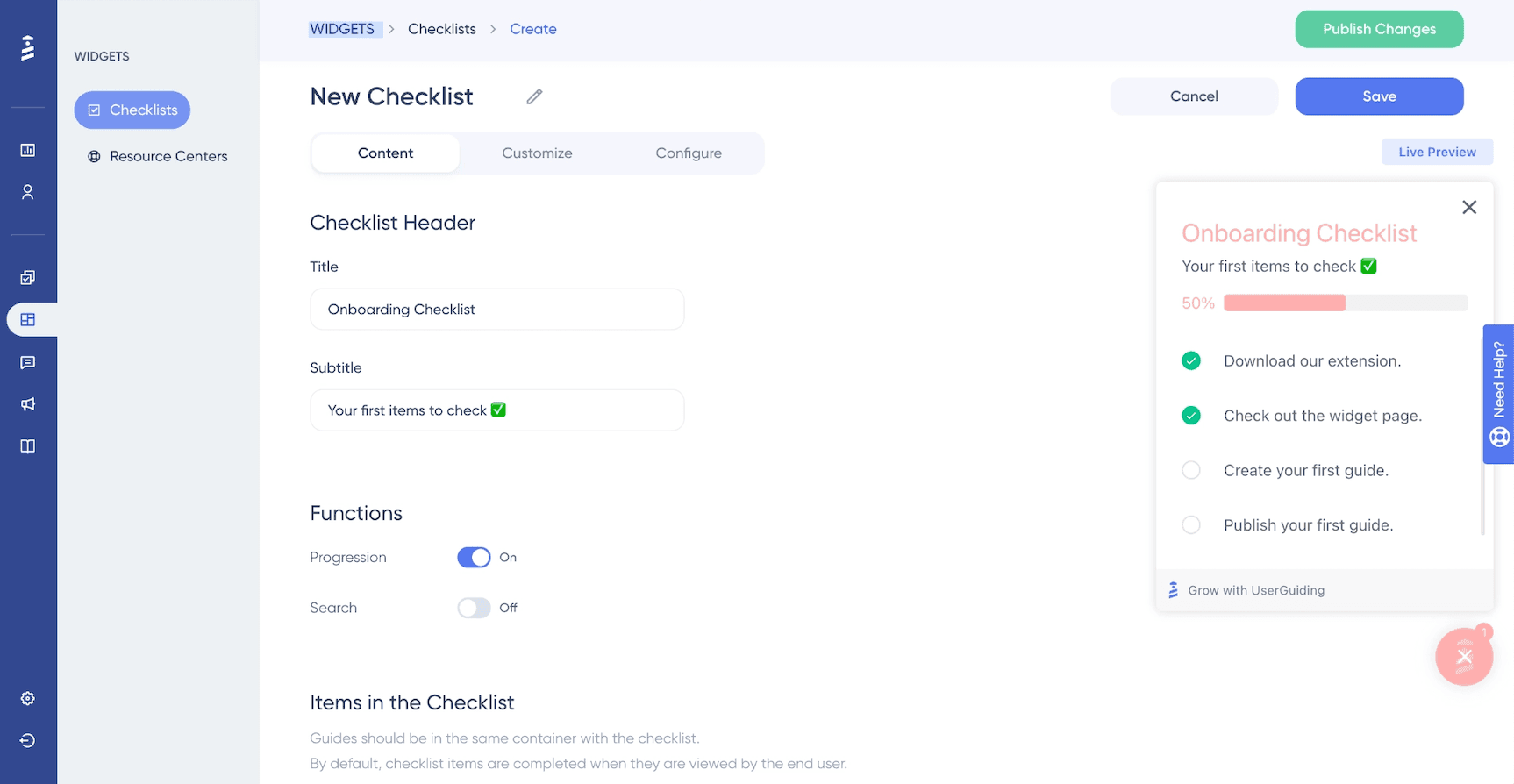
It’s likely you’ve heard of UserGuiding before, and perhaps you’ve even checked it out yourself. It’s a popular one.
It’s a digital adoption platform built for product teams who want to ship onboarding flows fast without touching code. This platform is a popular choice for teams looking to launch onboarding quickly without relying on engineering.
- Code or No Code? No-code
- Price/Cost: Plans are based on the number of MAUs. Starter is $249 a month, billed annually, on the UserGuiding pricing page.
- Best for: Startups and small to mid-sized businesses that needs a solution that requires no developer involvement.
Overall, fans of UserGuiding find it easy to use and affordable. It also includes a fairly comprehensive feature set to encourage product adoption.
But the customization is limited. It is an overlay on your product interface, so it can feel disjointed or annoying to users. And it doesn’t support native mobile apps.
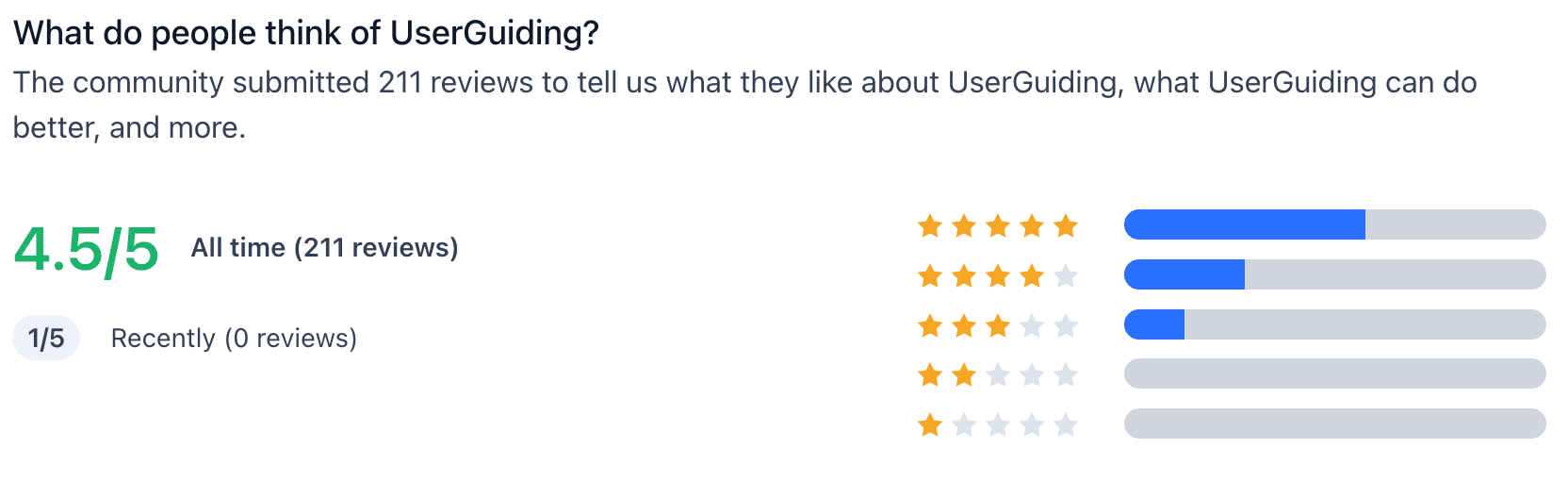
ProductHunt reviewers give the platform 4.5/5 stars, while G2 reviews come in at 4.7/5 stars, but some reviewers caution the product isn’t as practical as it seems and they have to rely on manual workarounds on occasion.
| Evaluation Criteria | Considerations |
|---|---|
| Flexibility | ❌ Developers can fully customize the experience ❌ Design feels native inside the app, not like an overlay ✅ Not tied to specific coding frameworks and requires little dev support |
| Control | ❌ Supports optional self-hosting in your own secure cloud or data center ❌ Full control over styles and layout via your design system (although available on higher tiered plans) ❌ Built-in version control to safely launch updates |
| Performance Tracking | ✅ Includes built-in analytics in the dashboard ✅ Supports integration with analytics platforms for performance tracking ⚠️ Advanced funnel tracking might require other tools |
| Business Impact | ✅ Low long-term dev maintenance compared to fully building in-house; fast to implement ✅ Non-tech teams can manage copy or targeting ✅ Enhances user activation and retention through onboarding experiences |
Whatfix is a digital adoption and product onboarding platform that is positioned to serve enterprise-level organizations.
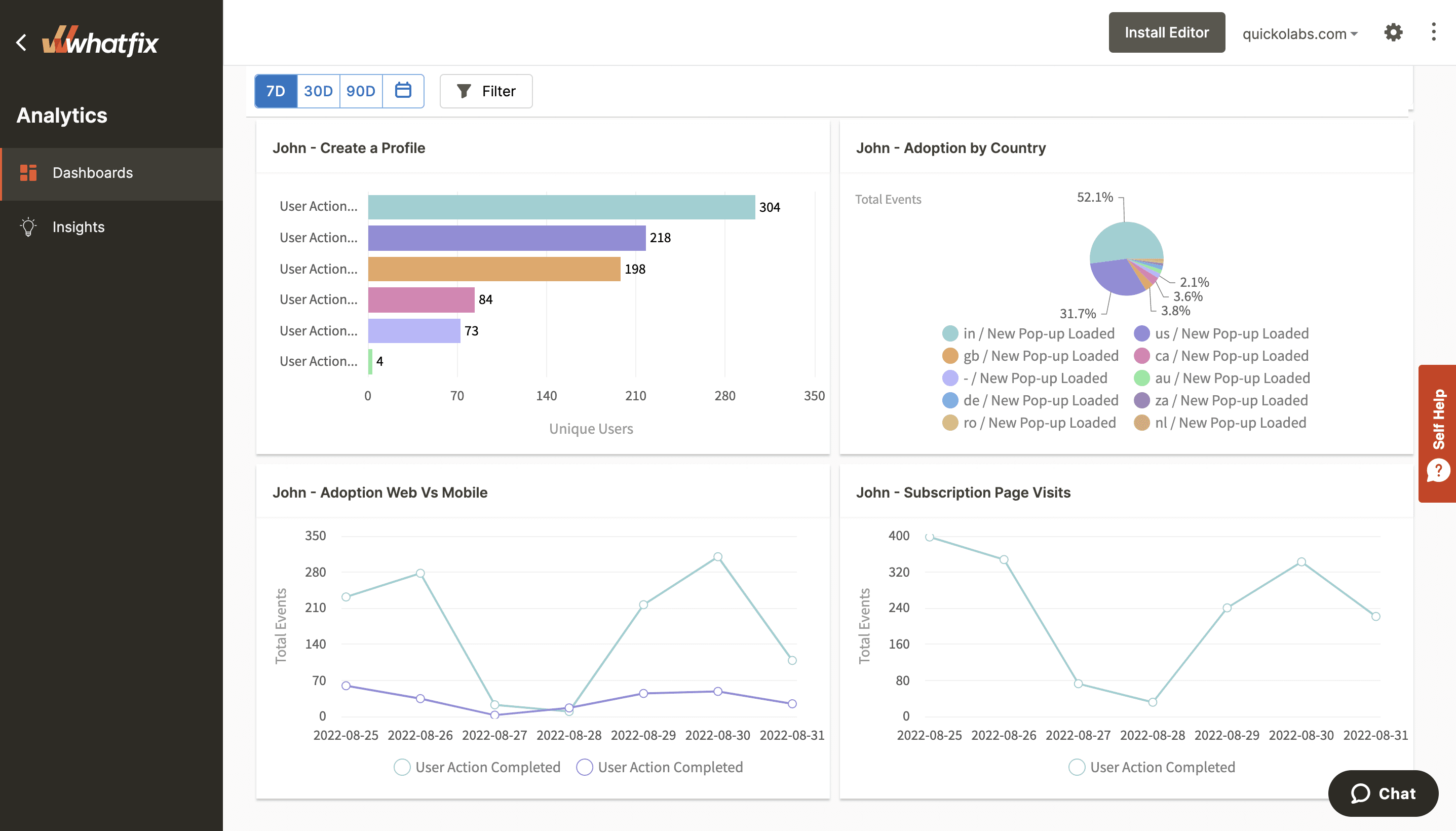
It does your standard in-app guidance and self-help resources for users, while equipping your team to create interactive walkthroughs, tooltips, and task lists without coding. And it offers a detailed analytics dashboard.
- Code or No Code? Primarily no-code, with options for custom code to extend functionality.
- Price/Cost: Quote based. Whatfix's pricing page routes you to a demo for a number.
- Best For: Overall, in my opinion, Whatfix might be a good choice for mid to large enterprise orgs that need a low-code to no-code solution for both employee and customer onboarding across software ecosystems.
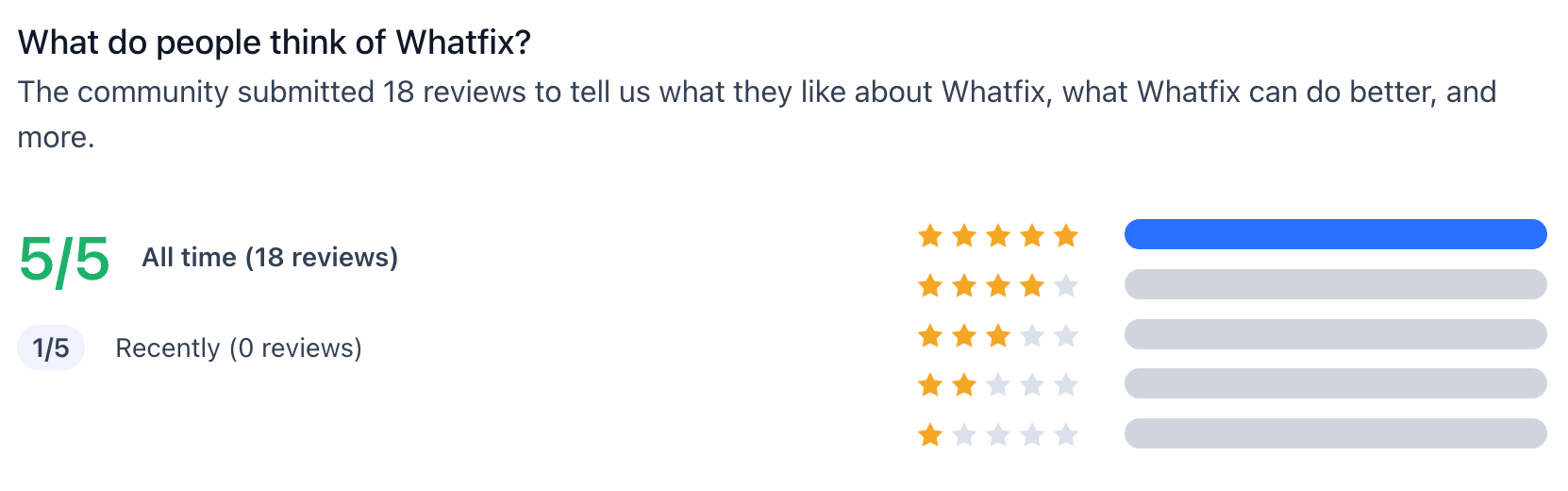
As far as how users feel about Whatfix, ProductHunt reviewers give 5/5 stars and G2 reviews come in at 4.6/5 stars.
One of Whatfix’s biggest strengths is the analytics platform and that it’s compatible across web, desktop, and mobile applications. But it has its limitations.
Some folks report some trouble with ease of customization and that the integrations can be buggy.
And despite Whatfix being in the no-code family of product onboarding software and adoption tools, one G2 reviewer explains “the tool itself is challenging for the less technical people to use, as you need to know the CSS classes to show flows and steps.”
| Evaluation Criteria | Considerations |
|---|---|
| Flexibility | ❌ Developers can fully customize the experience ✅ Designers can ensure the onboarding elements align with the existing design ✅ Not tied to specific coding frameworks and requires little dev support |
| Control | ❌ Supports optional self-hosting in your own secure cloud or data center ❌ Full control over styles and layout via your design system (although available on higher tiered plans) ❌ Built-in version control to safely launch updates |
| Performance Tracking | ✅ Includes built-in analytics in the dashboard ✅ Supports integration with analytics platforms for performance tracking ⚠️ Advanced funnel tracking might require other tools |
| Business Impact | ✅ Low long-term dev maintenance compared to fully building in-house; fast to implement ✅ Non-tech teams can manage copy or targeting ✅ Enhances user activation and retention through onboarding experiences |
If you’ve been in the product world for any length of time, it’s likely you’ve heard of UserPilot.
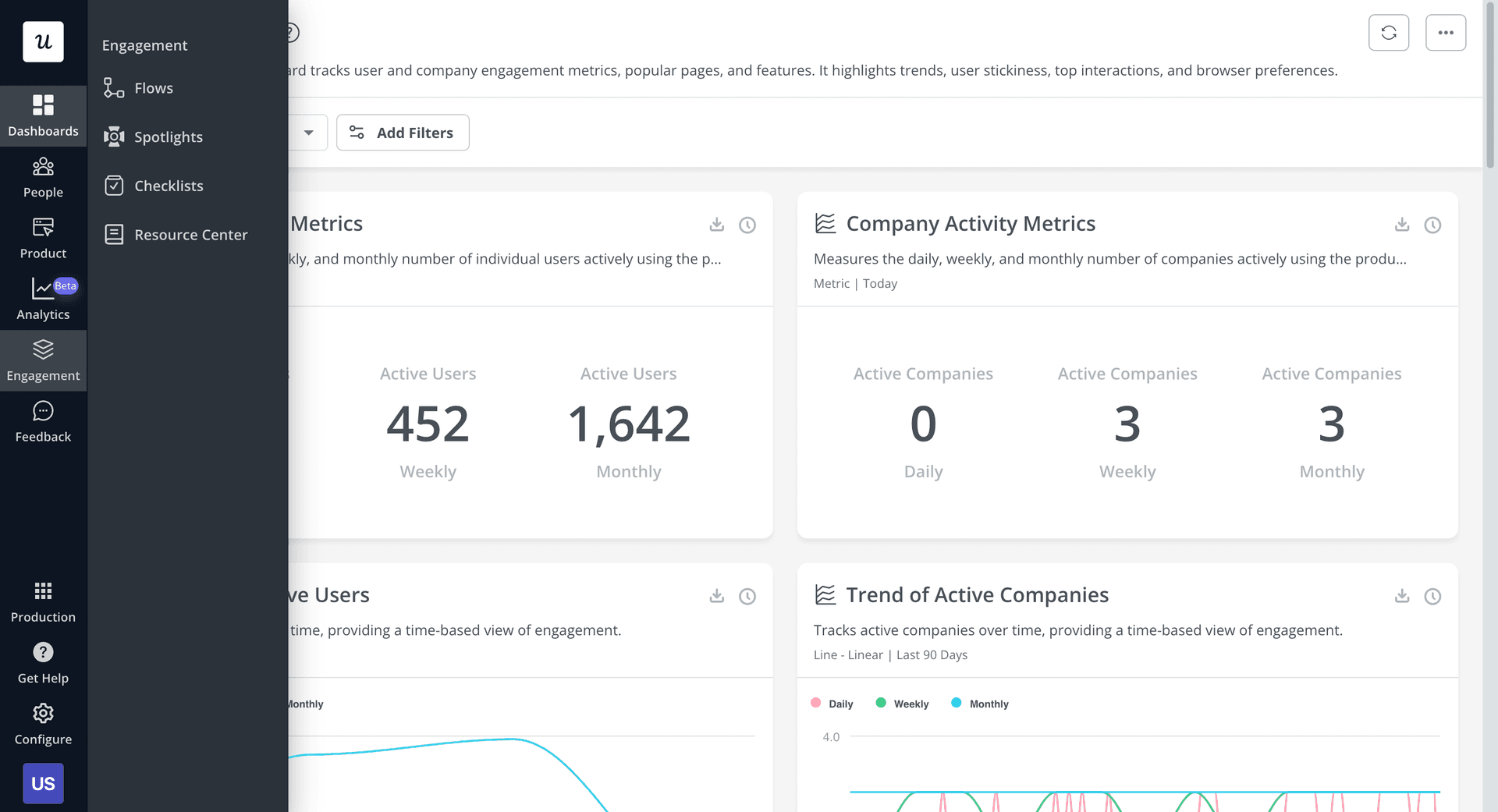
Similar to Frigade and UserGuiding, it enables product teams to create interactive walkthroughs, tooltips, checklists, and surveys without relying on engineering resources.
- Code or no-code? No-code
- Price/cost: Plans start at $299/month for up to 2,000 monthly active users (MAUs). The growth plan starts at $799/month and includes additional features like product analytics and in-app surveys. But check the pricing page to see current costs.
- Best for: Small to mid-size SaaS companies that need a no-code option for user onboarding, analytics, and feedback.
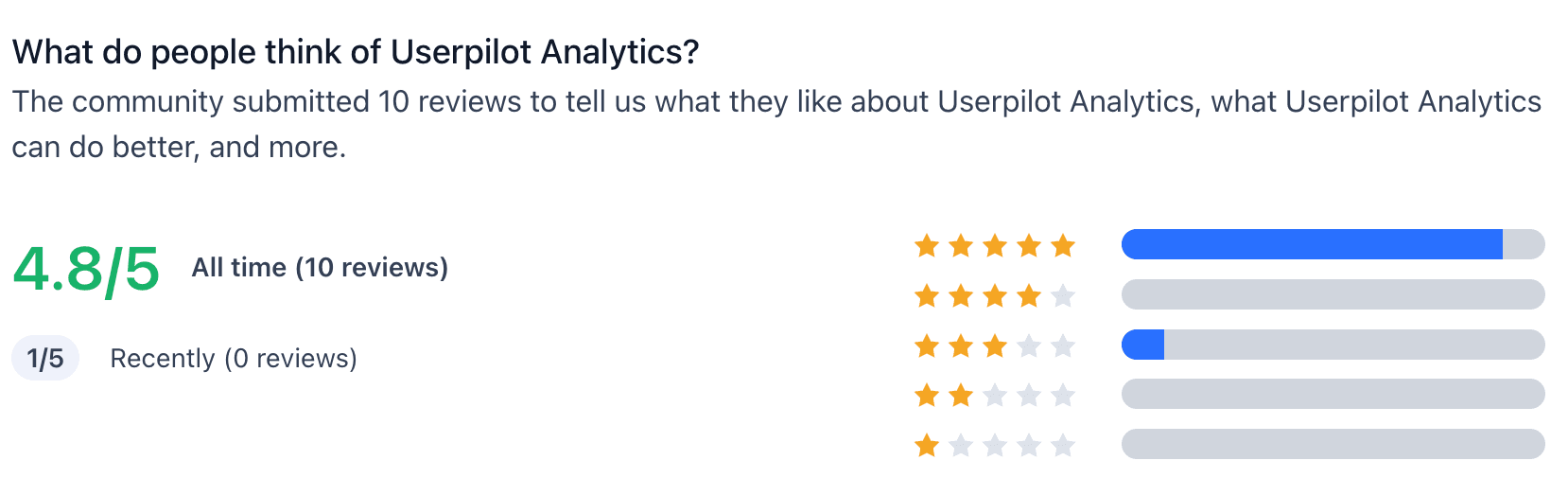
Overall, ProductHunt reviewers give it a 4.8/5 stars, while G2 reviewers give it 4.6/5 stars.
Userpilot is strong in offering onboarding flows, product analytics, session replays, and user feedback tools in one platform that doesn’t require extensive engineering support.
However, some users report that certain features, like event tracking filters, can be confusing and may require time to master.
And customization options are limited, especially for the price point.
As Heather F. pointed out in her G2 review, “I wish [it had] more customization options to better align with our brand's design system.”
But lack of customization is to be expected with no-code tools, unfortunately.
| Evaluation Criteria | Considerations |
|---|---|
| Flexibility | ❌ Developers can fully customize the experience ❌ Design feels native inside the app, not like an overlay ✅ Not tied to specific coding frameworks and requires little dev support |
| Control | ❌ Supports optional self-hosting in your own secure cloud or data center ❌ Full control over styles and layout via your design system (although available on higher tiered plans) ❌ Built-in version control to safely launch updates |
| Performance Tracking | ✅ Includes built-in analytics in the dashboard ✅ Supports integration with analytics platforms for performance tracking ⚠️ Advanced funnel tracking might require other tools |
| Business Impact | ✅ Low long-term dev maintenance compared to fully building in-house; fast to implement ✅ Non-tech teams can manage copy or targeting ✅ Enhances user activation and retention through onboarding experiences |
Another classic of the product world, Pendo is a platform that combines in-app guidance, user feedback, and product analytics to help with product adoption.
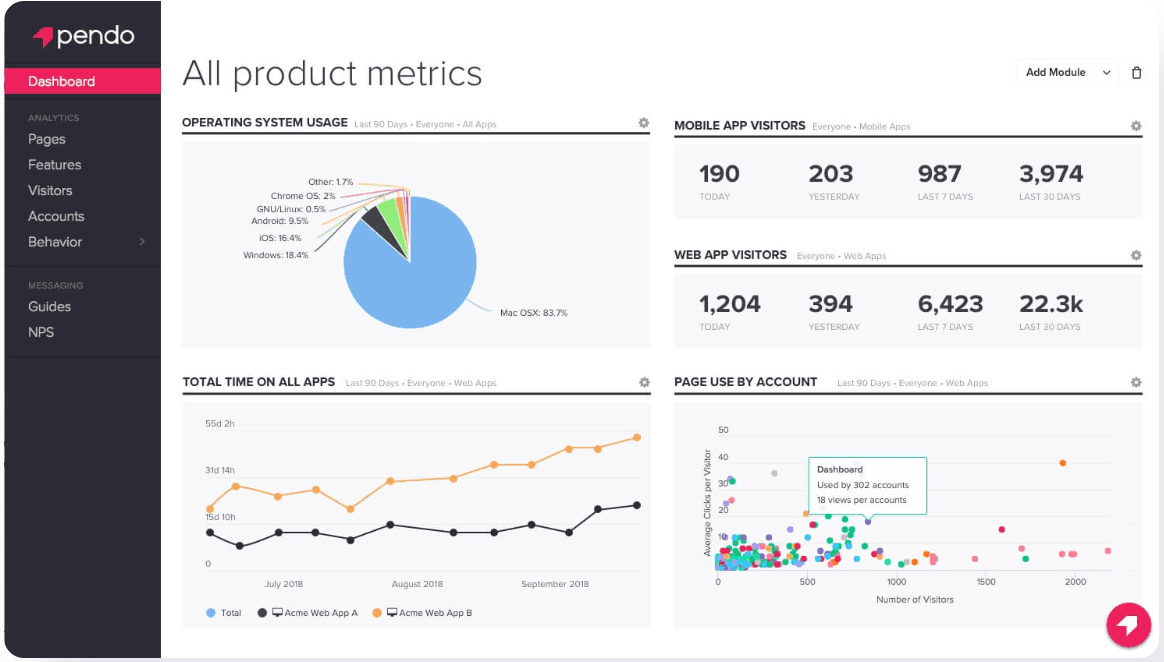
- Code or no-code? Primarily no-code, with options for custom code to extend functionality.
- Price/cost: Free up to 500 MAUs, then quote based. See Pendo's pricing page.
- Best for: Mid-sized to large enterprises seeking a no-code all-in-one for user onboarding, product analytics, and user feedback across larger software ecosystems.
Some users report that the platform can be complex to set up, requires time to master advanced features, and still requires technical expertise when you need more customization.
Which isn’t exactly ideal in a product onboarding software application… especially one that you likely chose for less internal maintenance.
As Sam B. put it in his review, “I have a love/hate relationship with Pendo. It's neither an analytics tool nor a walkthrough tool, it's a hybrid. That's a cool idea in theory and I really like it, but it makes everything significantly more expensive out of the gate.”
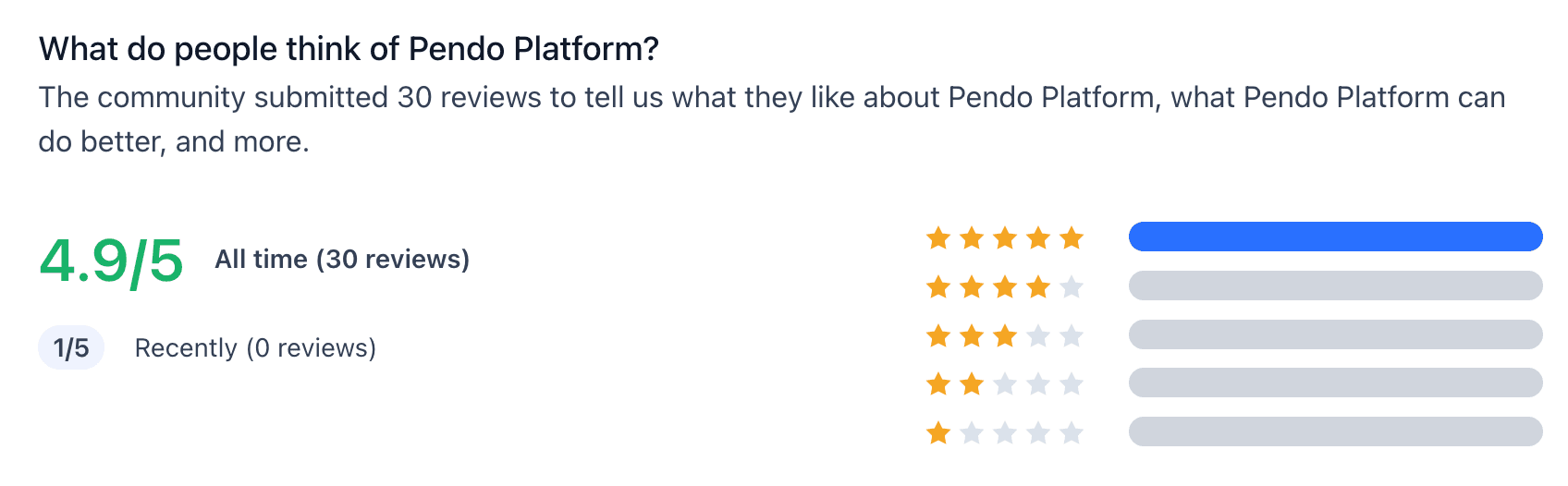
G2 reviewers score Pendo at 4.4/5 stars, while ProductHunt reviews give the platform 4.9/5 stars, which is unusual as many of the Pendo ProductHunt reviews available did not provide a star rating at all.
Pendo has been strong for years in offering deep product analytics, and that’s why it’s well-known.
It also offers support for both mobile and desktop applications and doesn’t require much engineering support.
However, there are plenty of Pendo alternatives now that offer more inclusive pricing or better experiences overall.
| Evaluation Criteria | Considerations |
|---|---|
| Flexibility | ❌ Developers can fully customize the experience (but some customization is possible on higher tiered plans) ❌ Design feels native inside the app, not like an overlay ✅ Not tied to specific coding frameworks and can require little dev support, based on use case |
| Control | ❌ Supports optional self-hosting in your own secure cloud or data center ❌ Full control over styles and layout via your design system (although available on higher tiered plans) ❌ Built-in version control to safely launch updates |
| Performance Tracking | ✅ Includes built-in analytics in the dashboard ✅ Supports integration with analytics platforms for performance tracking ⚠️ Advanced funnel tracking might require other tools, but basic tracking is offered |
| Business Impact | ✅ Lower long-term dev maintenance compared to fully building in-house; fast to implement ⚠️ Non-tech teams can manage copy or targeting; but users complain about complexity ✅ Enhances user activation and retention through onboarding experiences |
While users often stick with Pendo for the product analytics, Appcues is all about no-code onboarding flows, modals, and checklists that you can implement quickly.
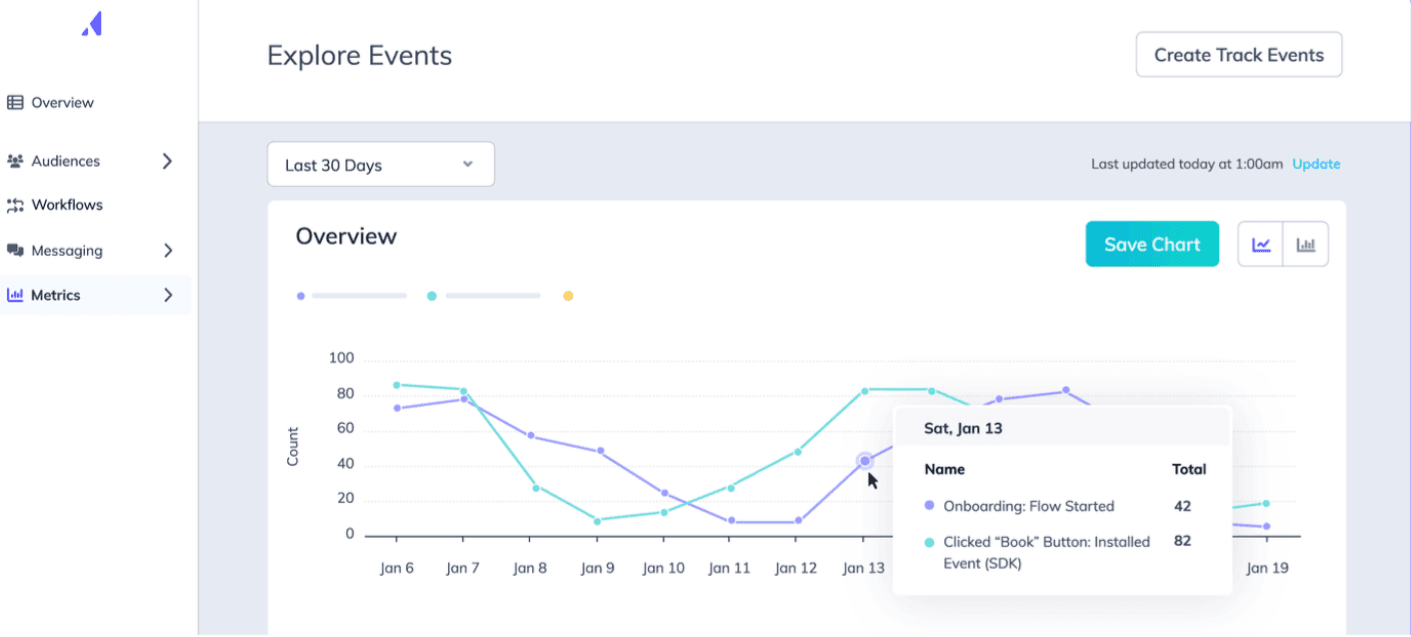
- Code or no-code? No-code.
- Price/cost: Custom pricing based on MAUs and usage, on annual contracts. See Appcues' pricing page.
- Best for: SaaS companies seeking a no-code solution for user onboarding and feedback and a clean, simple UI.
Most reviews note Appcues offers a fairly intuitive interface, allowing product teams to create and manage in-app experiences without coding.
However, customization is limited. And one G2 reviewer notes that Appcues “doesn't always work great, and we have to get creative to update flows and information to customers,” while Eirik F. on ProductHunt says it’s “a bit messy for simple usage.” which takes a bit of the ease out of the tool, for sure.
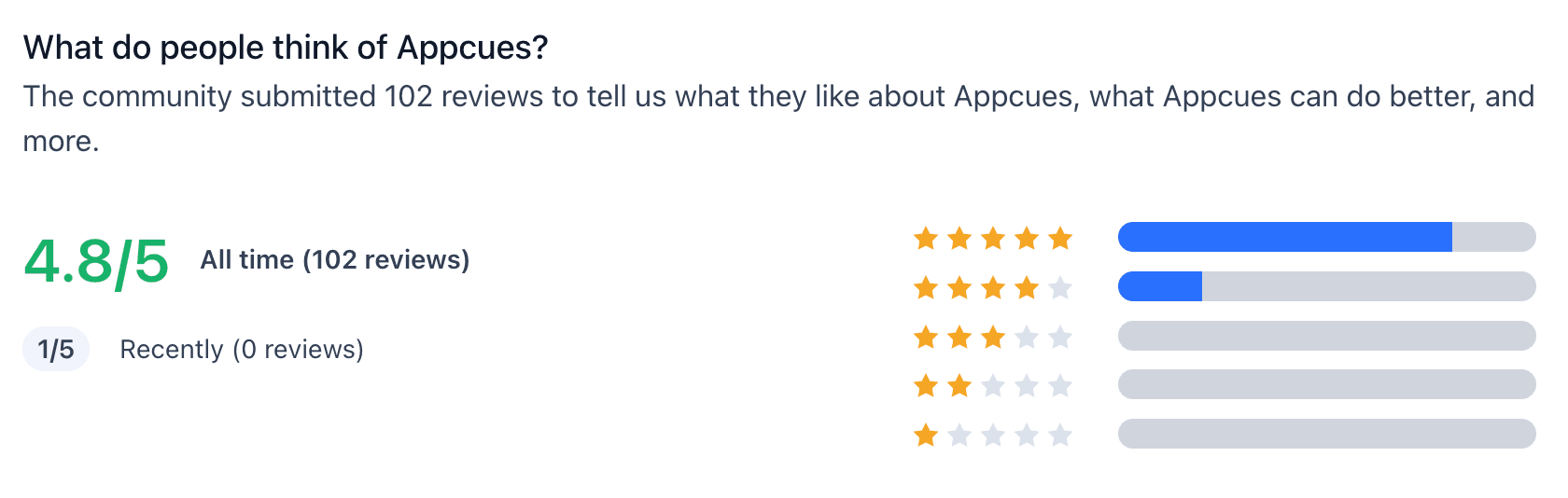
Overall, reviewers on ProductHunt note 4.8/5 stars, while G2 reviews show 4.6/5 stars.
Here’s how Appcues scores, based on my own criteria:
| Evaluation Criteria | Considerations |
|---|---|
| Flexibility | ❌ Developers can fully customize the experience (but some customization is possible on higher tiered plans) ❌ Design feels native inside the app, not like an overlay ✅ Not tied to specific coding frameworks and can require little dev support, based on use case |
| Control | ❌ Supports optional self-hosting in your own secure cloud or data center ❌ Full control over styles and layout via your design system (although CSS customization on higher tiered plans) ❌ Built-in version control to safely launch updates |
| Performance Tracking | ✅ Includes built-in analytics in the dashboard ✅ Supports integration with analytics platforms for performance tracking ⚠️ Advanced funnel tracking might require other tools, but basic tracking is offered |
| Business Impact | ✅ Lower long-term dev maintenance compared to fully building in-house; fast to implement ✅ Non-tech teams can manage copy or targeting; users like the interface ✅ Enhances user activation and retention through onboarding experiences |
UserFlow is another option that’s similar to Frigade and Appcues in that it has a clean, straightforward interface that feels user friendly.
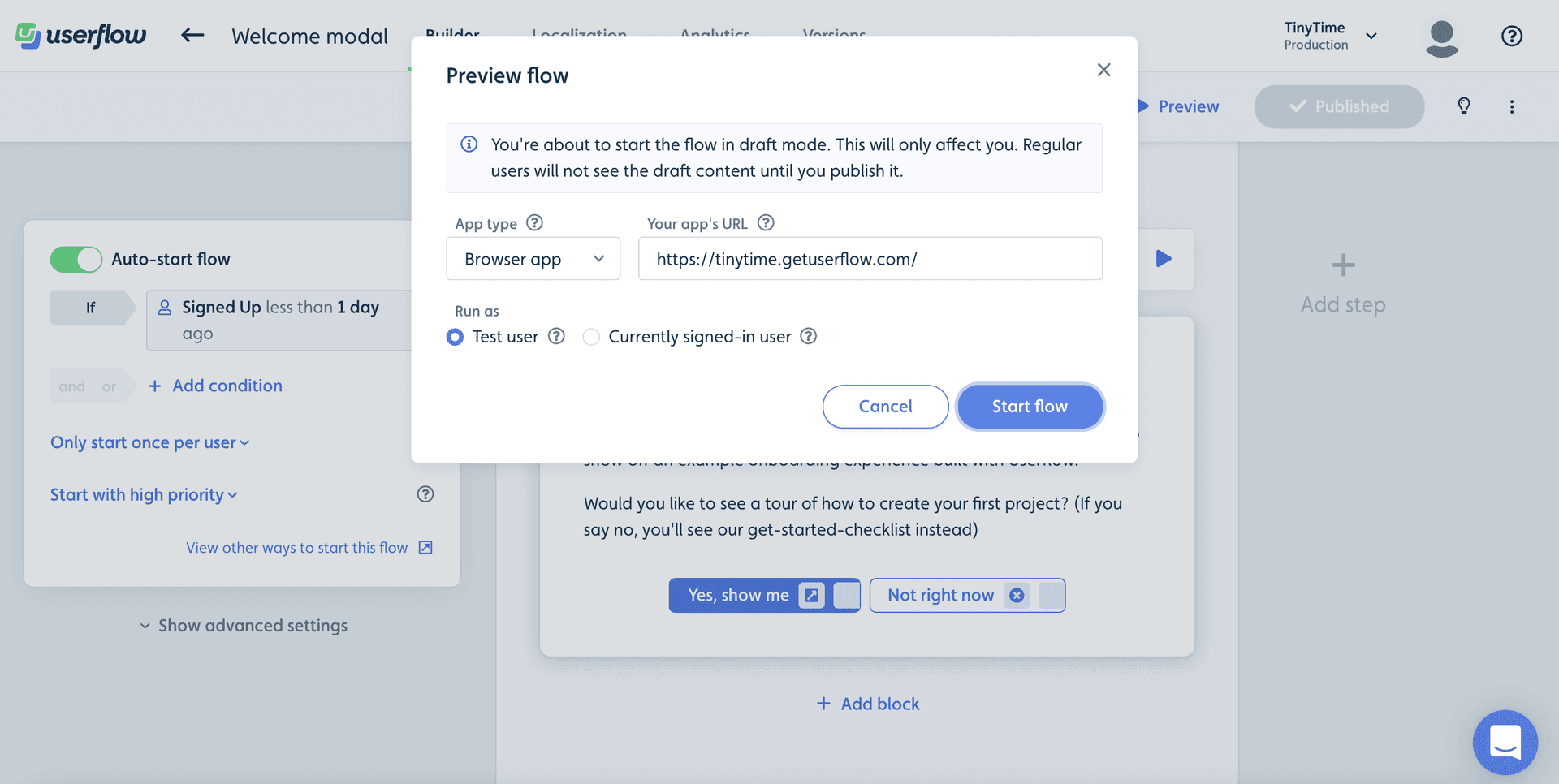
- Code or no-code? No-code
- Price/cost: One of the more price-friendly options, when billed annually, UserFlow’s basic plan starts at $240/month for up to 3,000 MAUs and $650/month for up to 10,000 MAUs and more advanced features and integrations. But check the pricing page for the most current information.
- Best for: Similar to Frigade and Appcues, UserFlow might be a good fit for SaaS companies seeking a no-code solution for user onboarding and feedback and a clean, simple UI and good integration options.
Some of the stand-out strengths for UserFlow include a kanban-style builder that allows non-technical users to create and manage onboarding flows. It also offers access to a solid amount of integrations for the price point.
However, people love Userflow, and the reviews say as much. G2 reviews show 4.8/5 stars, while ProductHunt gives a 5/5 star rating.
But, again, these no-code options are limited in their customization abilities.
UserFlow might offer a few more customizations than most, but it’s still not going to feel native to your product, because it is an overlay on your platform.
Juanita S. shared on G2 that “When creating flows, there are only 3 ways to personalize the experience: tool tip, bubble, and message. I want to find other ways to activate flows.”
Since that review UserFlow has offered more features, but there are still reviews noting the need for increased product analytic capabilities.
Here’s how they stack up overall:
| Evaluation Criteria | Considerations |
|---|---|
| Flexibility | ❌ Developers can fully customize the experience (but some customization is possible with CSS) ❌ Design feels native inside the app, not like an overlay ✅ Not tied to specific coding frameworks and can require little dev support, based on use case |
| Control | ❌ Supports optional self-hosting in your own secure cloud or data center ❌ Full control over styles and layout via your design system (although CSS customization on higher tiered plans) ❌ Built-in version control to safely launch updates |
| Performance Tracking | ⚠️ Includes built-in lightweight analytics, with reviews noting a weak spot ✅ Supports integration with analytics platforms for performance tracking ⚠️ Advanced funnel tracking requires other tools |
| Business Impact | ✅ Lower long-term dev maintenance compared to fully building in-house; fast to implement ✅ Non-tech teams can manage copy or targeting; users like the interface ✅ Enhances user activation and retention through onboarding experiences |
If you made it this far in this guide, congratulations, you win the prize. 🏆
The AI-native category I led with at the top of this article (the Frigade Assistant) isn't the only player. A few other in-app AI agents belong on the radar:
- Intercom Fin: Intercom's AI agent, focused on frontline support deflection from your help docs rather than in-product workflow guidance. Best for teams already on Intercom that want a chat-based support deflection layer.
- Command.ai: AI-guided nudges and support inside your product. Smaller surface area than the Frigade Assistant but in the same general category.
The pattern across all of these is the same: the system learns the product instead of waiting for your team to author another tour. The Frigade Assistant goes furthest on that pattern because it can also take the action with the user, like opening the right screen or turning on a feature, instead of only answering.
Frigade Engage is free up to 250 MAUs and $300 a month on Growth. Userflow starts at $240 a month, UserGuiding at $249 a month billed annually, Chameleon at $279 a month for 2,000 MTUs, and Userpilot at $299 a month. Pendo is free up to 500 MAUs. Reactour and React Joyride are free if you build and host the tours yourself. Appcues, Whatfix, and paid Pendo plans are quote based.
The best user onboarding tools for SaaS in 2026 are the Frigade Assistant for AI-native guidance with nothing to author, Frigade Engage for teams that want developer-friendly components with a no-code editor, Reactour for hand-built tours, and Userflow, Appcues, Userpilot, Chameleon, UserGuiding, Pendo, and Whatfix for teams that want a no-code builder and accept the upkeep that comes with authored tours. Choose by who will maintain the guidance after launch, because that is where these tools differ most.
It depends on who maintains the guidance after launch. For teams that want in-product guidance with nothing to author, the Frigade Assistant. For engineers and product working on the same flows, Frigade Engage, which is developer-friendly and has a no-code editor. For a hand-built route, an open source library such as Reactour. For teams that want a no-code editor and can keep authored flows current, Userflow, Appcues, Userpilot, Chameleon, UserGuiding, Pendo, and Whatfix do the same job at different prices.
Whatever you pick, a good user onboarding tool should reduce churn and get new users to value quickly, and it should not feel bolted on to your product or to your engineering and design teams.
The Frigade Assistant. It learns your product by using it, walks users through real workflows on demand, surfaces Suggestions personalized per user, and can take the action for the user instead of describing it. There are no tours to author, and it relearns the product on each release, so the guidance does not go stale the way authored overlays do. Intercom Fin (chat-based support deflection) and Command.ai (in-product nudges) cover neighbouring surfaces.
Only the AI-native ones. The Frigade Assistant relearns your product on every release, so a moved button or a renamed screen shows up in its guidance without anyone editing a flow. Every no-code builder on this list pins tours to page elements; some of them flag a broken step, but a person still has to open the editor and fix it.
Frigade Engage is developer-friendly and works in React apps, with a no-code editor for non-engineers. Reactour and React Joyride are open source React libraries. Chameleon, Userpilot, and Appcues install with a JavaScript snippet and offer React helpers on top, and the Frigade Assistant installs as a script tag or a React package.
The Assistant is the AI agent. It learns your product on its own, walks users through workflows on demand, surfaces Suggestions, and takes actions on the user's behalf, which removes the authoring and maintenance work of a flow-builder DAP. Engage is for the surfaces you want to author with full control, developer-friendly and with a no-code editor, such as a launch banner, an NPS survey, or a billing notice. Teams usually start with the Assistant and add Engage components for the handful of surfaces where authored control is the requirement.
Yes. The Frigade Assistant is no-code in the strict sense: there is nothing to author. Connect it once, it learns the product, and it handles in-product guidance from there. The traditional no-code DAPs (Pendo, Userpilot, Appcues, Chameleon, UserGuiding, Userflow, Whatfix) still require you to author every tour, set every targeting rule, and keep the library current as the product ships. Their "no-code" label describes the editor, not the upkeep.
User onboarding software guides a new user from their first session to the point where they get value from the product on their own, without a sales or support person on a call. It does that with step-by-step guidance, checklists, in-app messages, and, in the AI-native tools, an assistant that answers questions and completes tasks inside the product. A good tool also shows you where users drop off, so your team can fix the step rather than the tour.
Any product with self-serve signups. SaaS companies with free plans or trials benefit most, because there is no person in the loop to explain the product, and so do teams that ship features often and need users to find them without a customer success manager walking every account through the change.
Lower churn, because new users reach their first valuable action sooner. Fewer setup and how-do-I tickets, because the answer lives on the screen where the question comes up. Higher feature adoption, because new features get announced in context instead of in an email. And better data, because you can see which step users stall on.
Want to see an assistant that adapts to your product instead of a flow you have to maintain? Book a Frigade demo and we will show the Assistant running on your own product. If you need authored components on top, Frigade Engage is the code-first library that pairs with it.