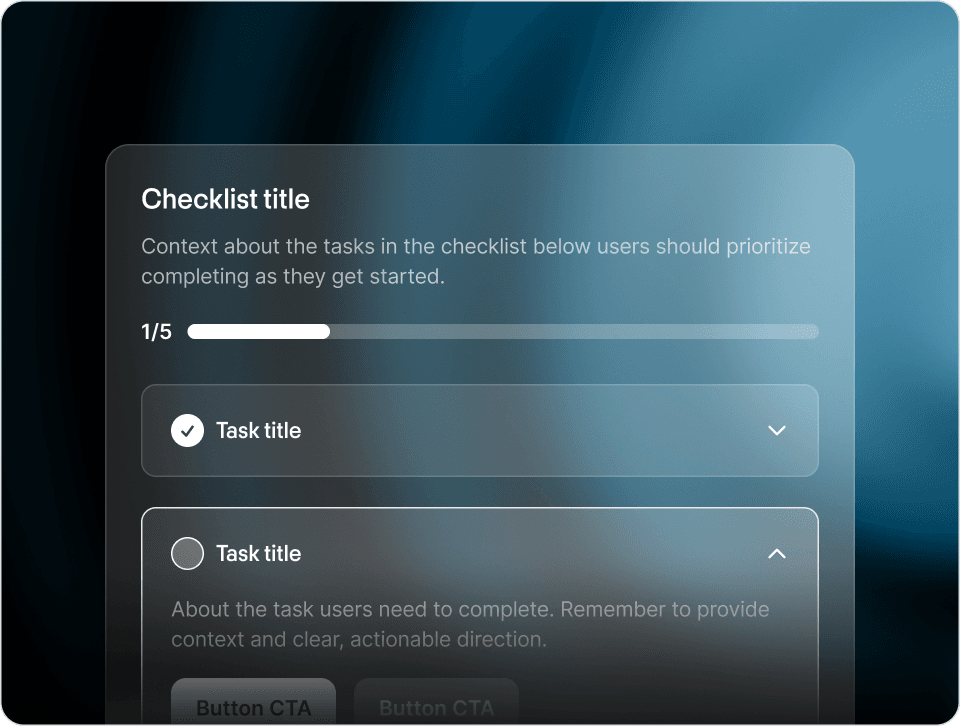
Getting started checklists are one of the most common patterns in all of software onboarding. Yet, companies still build terrible renditions all the time. So, what actually makes a great getting started checklist? Why are they so effective? Should you create one for your product onboarding?
Let’s get into it.
One of the primary psychological drivers of checklists’ effectiveness is the intrinsic satisfaction that comes from completing and getting credit for a task. We’re all familiar with this from our own personal todo or grocery shopping lists. Hell, I sometimes create a step on my personal checklists just for making the checklist. An easy win right off the bat, and it just feels soooo productive.
And users are the same way. Each time a user checks off an item, they experience a small dopamine release, reinforcing the behavior and motivating them to continue. These small actions contribute toward a sense of accomplishment that builds and encourages users to keep making progress on the tasks laid out for them.
Most modern software products have tons of features and actions you can take. Think about a mature product like Mailchimp, Stripe, or Jira – the choices are limitless. And that’s where checklists can come in. They help reduce cognitive load – breaking down complex software into a few simple first steps, making it easier for users to get started and understand how to use the product.

Dropbox uses a simple onboarding checklist during onboarding
The best checklists provide a clear path to success in your product by outlining the essential steps for users. By structuring set up, users can see and feel their progress and understand how each step contributes to their progress. This fosters a sense of direction and momentum, which tends to reduce confusion (and subsequently churn) and ultimately leads to better activation and retention rates.
The most common application of product checklists is during new user onboarding. These popular checklists help guide users through the initial setup process. It usually consists of 3-4 actions that are deemed essential to product activation. For instance, in Loom, those actions are downloading the app, recording a video, sharing the video, and inviting a colleague.

Loom new user onboarding checklist
As a product evolves, many new features are introduced. Sometimes a feature is advanced enough that it warrants a checklist to provide users with a step-by-step guide on how to use the new functionality. A product checklist may also be used for ongoing product onboarding. For instance, Mercury includes a product checklist in the dashboard of active users to encourage next steps that drive further adoption.

Mercury uses a carousel checklist to highlight more advanced actions existing users can take
When it comes to onboarding to enterprise software, product implementation can be particularly complex. Oftentimes teams will have entire onboarding hubs outside of the product to track action items and owners. It can also be effective to pair these external onboarding processes with contextual in-app checklists. The in-product checklist can mirror and reinforce the content and messaging.
Checklists need to be concise and focused. Nobody wants to complete a 20-step checklist. What are the three to five most valuable (and achievable) tasks that your users really ought to do to be set up for success in your product? Focus on those.
Okay, this one we can’t stress enough. Make. Each. Step. Actionable. Do it! Product checklists do not have to function like their analog counterparts, self reporting and penciling in each task’s bubble as we complete them. They’re digital! That means that we can do digital stuff. Checklists should be intelligent – they should be context aware of the specific task. For instance, if the recommended action is to invite a teammate, then we can automatically mark that step complete when a user invites a teammate. This not only feels intelligent, it also saves the user work and allows the user to make progress on checklist items they may naturally complete while onboarding out of context of the checklist itself.
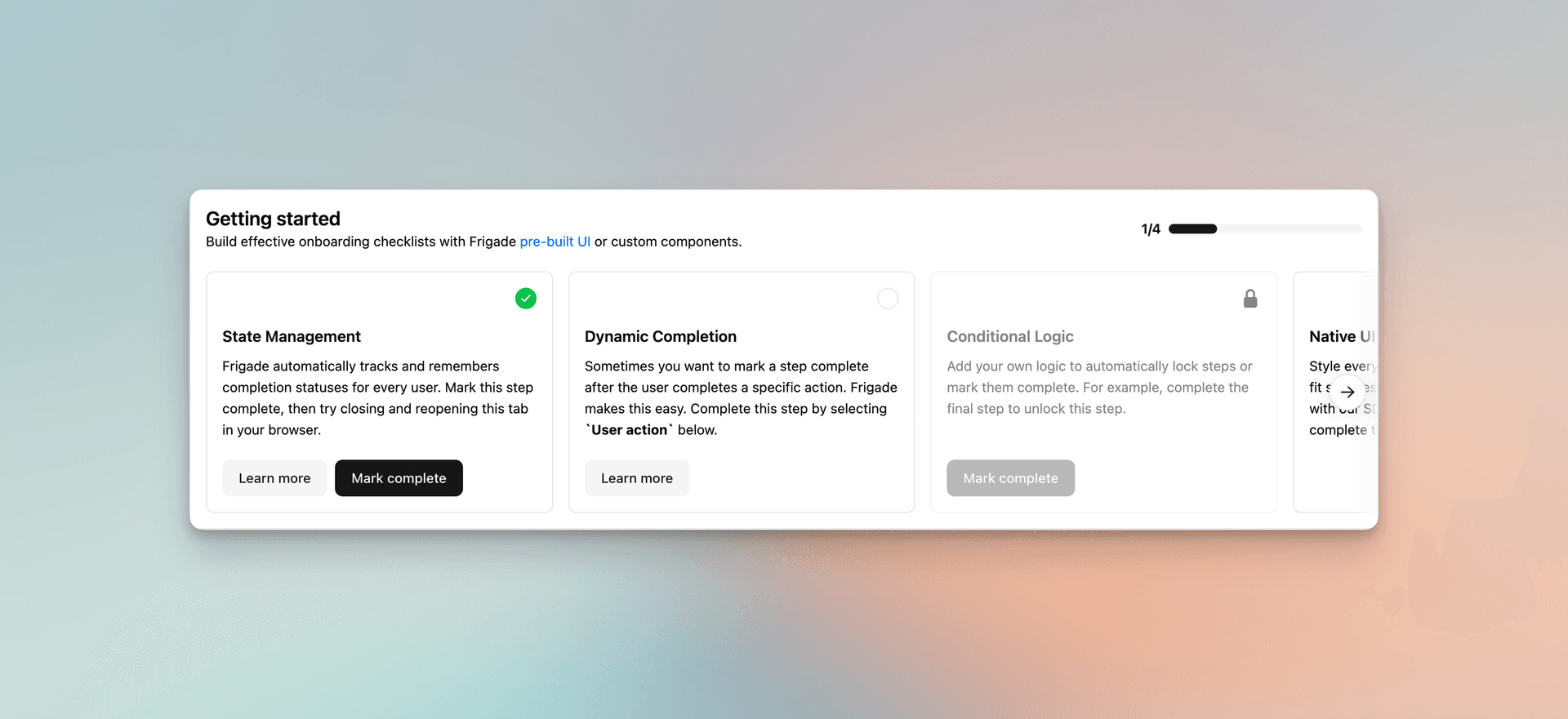
Check out the Frigade checklist demo for an example of an actionable checklist
We want to focus on the most valuable tasks, but also, every user is unique. So, it follows that one users’ most valuable setup tasks might be different from another user’s based on their role, industry, or use case. To the extent possible, it’s best practice to collect user intent data on signup and use that information to personalize onboarding to different cohorts and personas. For instance, for a technical product that requires setup in the codebase, engineers may be met with an action item to install the SDK where a designer may instead be met with a step to invite an engineer (...to install the SDK).
A beautifully designed checklist can make a checklist fun to use. A poorly designed checklist widget can feel like Clippy reincarnate. Use clear fonts, colors, and icons to make the checklist easy to read and navigate. Use images, videos, and GIFs to make it more engaging. Check out Attio’s pixel perfect checklist below to see what best-in-class looks like.
[Attio Demo]
Checklists are naturally composed of steps, and incorporating explicit progress tracking into checklists is an easy but powerful way to motivate users to complete them. It’s not just progress bars either – percentages, strikethroughs, or counts can all provide users with a sense of accomplishment as they move through the checklist.
We’ve covered all the reasons why people are basically obsessed with checklists from a psychological standpoint, but there is also a certain checklist Kryptonite that you need to be wary of. And that’s the empty checklist. The first task is always the hardest to complete from an inertia standpoint.
And it applies to product checklists, too. So, whenever possible, seed your checklists with progress to give the user a sense of momentum. For instance, instead of starting from 0% on your four step checklist, give users credit immediately for something easy like joining a workspace. Great! Now they’re 20% complete on a five step checklist that’s otherwise identical. Doesn’t that feel better already??
Consider implementing points or rewards for completing checklists. Give users $10,000 for finishing a checklist and watch activation rates soar through the roof (but maybe check with finance first). Most often, these incentives take the form of points, credits, and badges. Apollo.io gives out monthly product credits for completing each onboarding step. Others, like LinkedIn, use badges and words of encouragement... You’re only a couple steps away from Superstar status, champ!
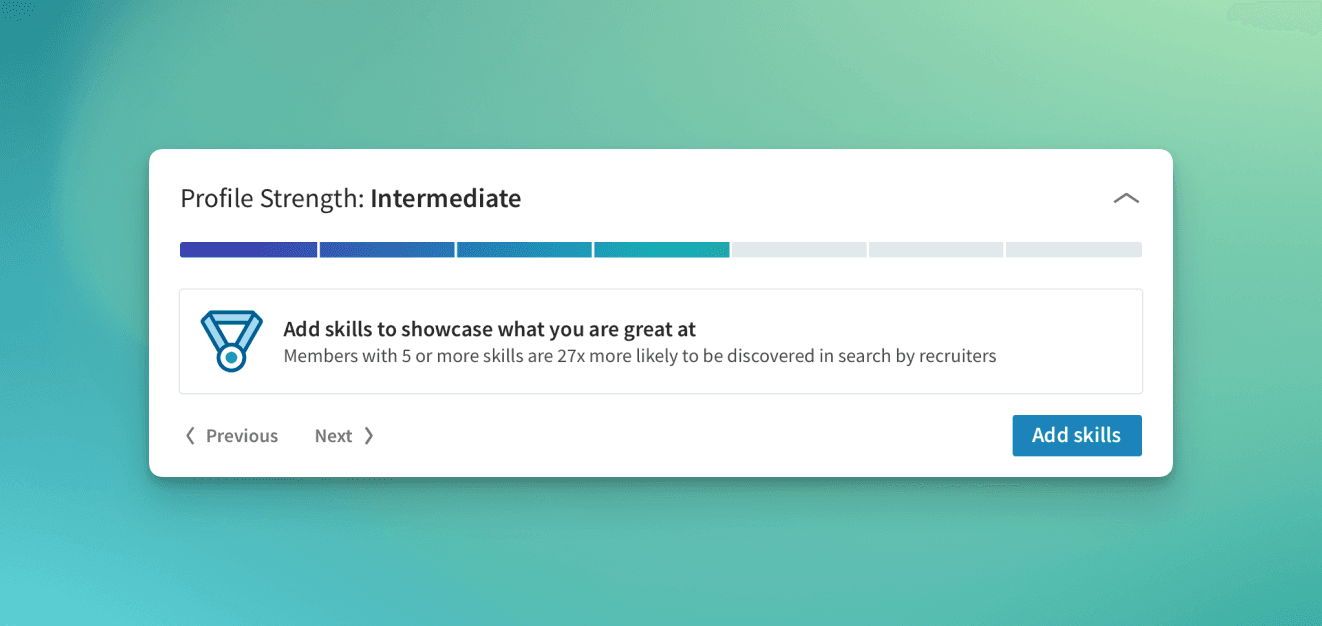
You can also consider breaking onboarding and checklists into smaller chunks, or even sequential steps. We've seen examples of effective checklists that require a user to finish a task before they unlock the remaining tasks. This can be especially true for tasks that are only possible after completing certain steps (e.g. create a project -> update a project -> share a project).
If users do not understand the value of an item on the checklist, then of course they're less likely to engage with it. So, that means it's important that each task is clearly linked to a benefit or outcome that resonates with users – not just your KPIs. Maybe that means reframing: "Invite 5 people to your workspace" can become "Get feedback from your teammates"
You might have put a lot of time into crafting your checklist... but it doesn't mean your users will always want to engage with it. And when they don't want to, it's important to be able to get out of their way. It's very frustrating for users when they are forced to engage or otherwise blocked.
Solving this can take a number of different forms:
- Make the checklist dismissible
- Make the individual steps of a checklist skippable
- Place the checklist somewhere unobstrusive so it's not in the way
- Ensure the user is not blocked by not engaging with the checklist
Timing is important for checklists, too. Presenting a checklist too early or too late in the user journey can be the difference between great engagement and missed opportunities.
When implementing checklists, consider the technical aspects, such as how you'll incorporate them into your product UI. Will it be directly embedded in the dashboard? Will it be dismissible? Will it live on its own onboarding page? How will users discover it and return to it when needed? These questions can help you ensure that the checklist is easy to use and access.
Checklists should not exist in isolation. Find ways to integrate them with other onboarding elements, such as tutorials, videos, or interactive guides, to create a comprehensive onboarding experience. For instance, a checklist task could be to kick off an interactive product tour, or engage with a more in-depth onboarding resource.
Finally, it’s essential to measure the success of your checklists. Use analytics to track completion rates, user engagement, and overall satisfaction. Where and when do your users drop-off? Which steps have the best and worst completion rates? This data helps you iterate and improve your checklists.
If you've made it this far, you're practically a checklist expert. Now go forth and build the product checklist of your dream! And if you want to skip authoring (and maintaining) the checklist entirely, check out the Frigade Assistant, our AI agent that learns your product and helps each user in two modes: on demand when they ask, and proactively via Frigade Suggestions (AI-driven nudges and tours surfaced at the right moment for each user). No static flow for your team to keep updating every time the product changes.